

How do I accept mobile money?
Use hosted checkout, payment links, or direct charge APIs to accept Wave, MTN MoMo, SPI, and local payment methods.
Mobile money lets you accept payments from customers using their mobile wallets. It is a fast, secure, and convenient payment method that does not require a bank account.
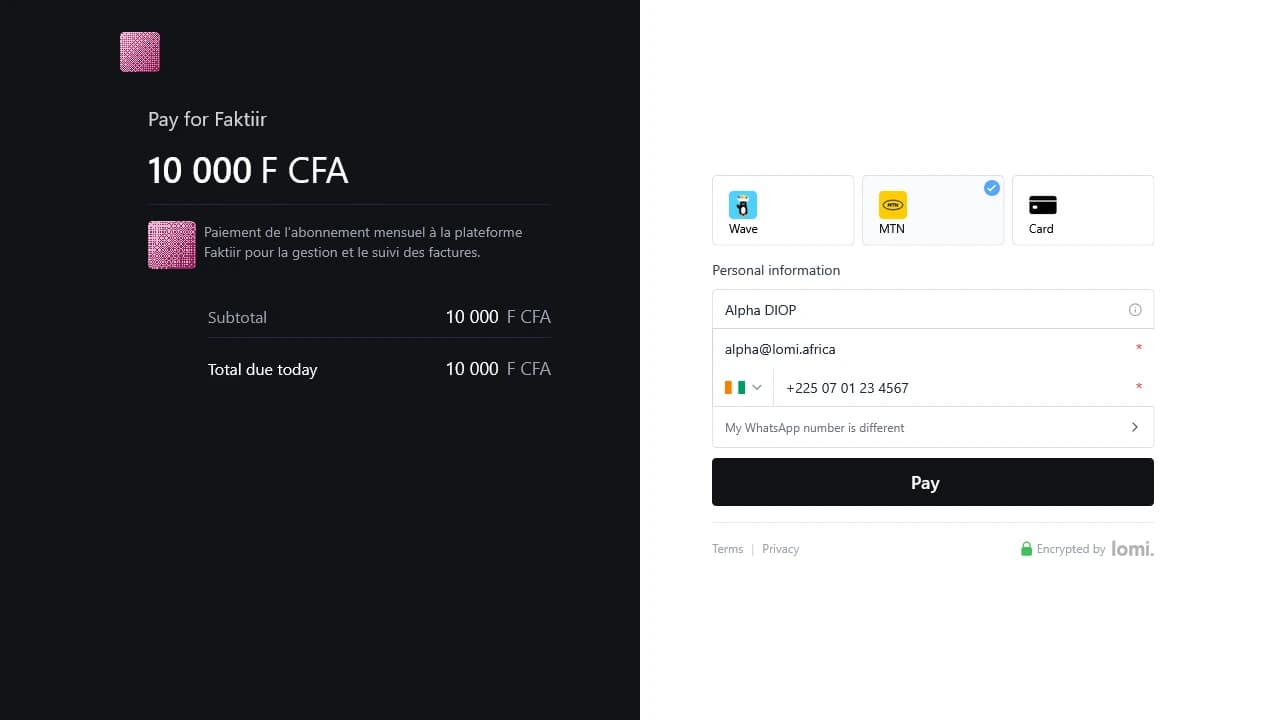
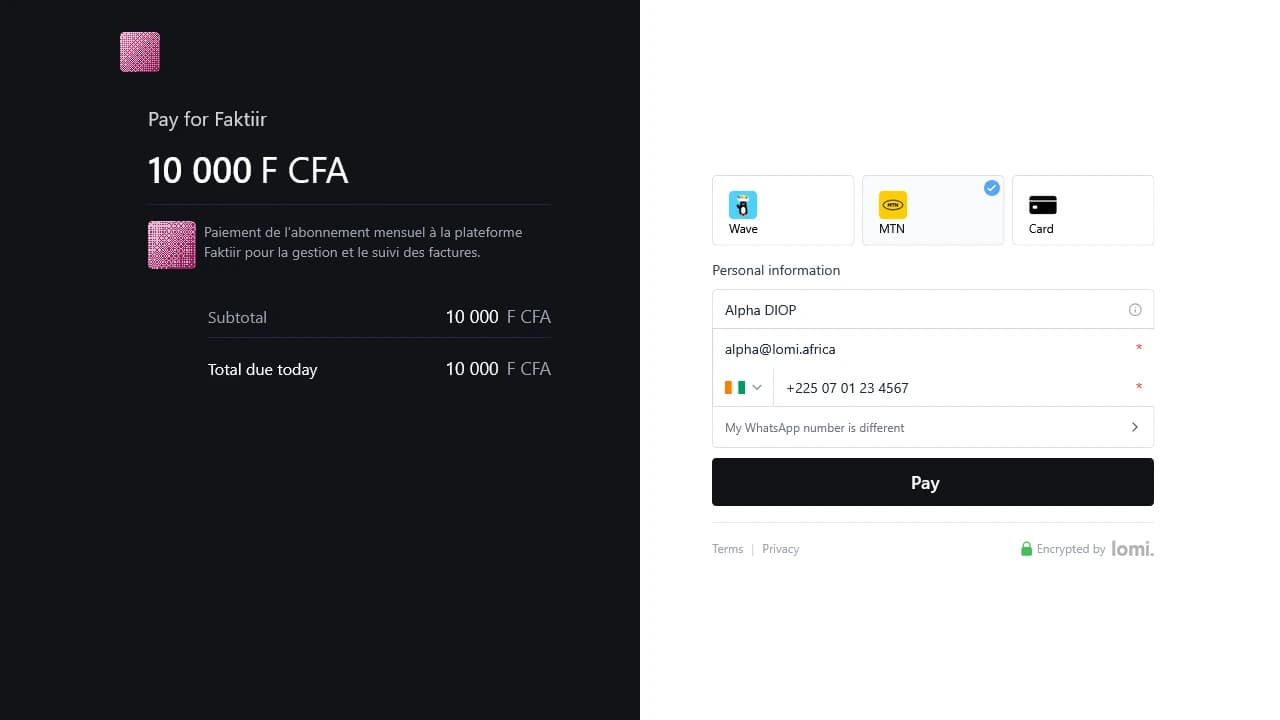
For country and channel coverage, see Payment channels.
Requirements
Before integrating mobile money payments:
- A lomi. account with test or live API keys, see API keys.
- An HTTPS webhook endpoint for final payment status in live mode, see Webhooks.
- Customer phone number in E.164 format (for example
+2250707070707).
How mobile money payments work
When a customer selects mobile money, they typically receive a prompt on their registered device. To complete the transaction, the customer must:
- Open the notification or payment screen on their mobile device.
- Authorize the payment by entering their PIN or following the provider's authentication process.
- Once authorized, the payment is processed, and both the customer and the merchant receive a confirmation.
After authorization:
- The customer's mobile money wallet is debited.
- lomi. sends a webhook notification to your server when the transaction reaches a final state.
Mobile money is asynchronous in live mode. Always show a pending state in your UI and reconcile with webhooks or GET /transactions/{id}.
Recommended paths
| Path | Use when |
|---|---|
| Hosted checkout | Your app creates the order and redirects the customer |
| Payment links | You want a shareable URL for invoices, services, or informal sales |
| Payment requests | Your backend creates a payment request for an app-controlled flow |
| Direct charge APIs | You need lower-level control and understand provider-specific UX |
Most merchants should use hosted checkout or payment links first.
Direct API: Wave
POST /charge/wave with XOF amount and customer details. Redirect the customer to wave_launch_url or checkout_url in the response, or read the normalized next_action field (type: redirect with url).
curl -sS -X POST "https://sandbox.api.lomi.africa/charge/wave" \
  -H "X-API-KEY: $LOMI_SECRET_KEY" \
  -H "Content-Type: application/json" \
  -d '{
    "amount": 1000,
    "currency": "XOF",
    "customer": {
      "name": "Jane Doe",
      "email": "jane@example.com",
      "phoneNumber": "+2250707070707"
    },
    "description": "Invoice #42",
    "successUrl": "https://example.com/success",
    "errorUrl": "https://example.com/error"
  }'
Direct API: MTN MoMo
POST /charge/mtn with amount, currency, countryCode, and customer MSISDN. The response includes next_action (type: await_webhook with status) alongside data.status.
curl -sS -X POST "https://sandbox.api.lomi.africa/charge/mtn" \
  -H "X-API-KEY: $LOMI_SECRET_KEY" \
  -H "Content-Type: application/json" \
  -d '{
    "amount": 1000,
    "currency": "XOF",
    "countryCode": "CI",
    "customer": {
      "name": "Jane Doe",
      "phoneNumber": "+2250707070707"
    }
  }'
Verify the payment
Before you provide value to the customer, confirm the transaction's final status and amount:
- Webhooks: register your endpoint and handle
PAYMENT_SUCCEEDED/PAYMENT_FAILED. See Handling webhooks. - Retrieve transaction:
GET /transactions/{id}using thetransaction_idfrom the charge response.
Test vs live
| Test API key | Live API key | |
|---|---|---|
| MTN direct charge | status: completed immediately; test balance credited | status: PENDING until customer approves |
| Wave | Test balance may credit when session is created | Wait for webhook or transaction poll |
| Real wallet debited | Never | Yes |
Full test instructions: Sandbox payments: mobile money.