

How do I make a test payment?
Create a sandbox checkout session, open the hosted checkout URL, pay with a test method, and verify the result.
This is the fastest way to prove your lomi. account, API key, checkout, and webhook assumptions work together.
Before you start
You need:
- A lomi. account.
- CLI access via
lomi login, or a test secret key such aslomi_sk_test_.... - A local or hosted success URL and cancel URL.
Option A: CLI (recommended)
Install and log in
npm install -g lomi.cli
lomi login
lomi quickstart
Create a checkout session
Interactive:
lomi checkout createHeadless (for scripts and agents):
lomi checkout create \
  --amount 10000 \
  --currency XOF \
  --success-url https://example.com/success \
  --cancel-url https://example.com/cancel \
  --json
Open the checkout_url from the output in your browser.
Forward webhooks (optional)
lomi listen http://localhost:3000/webhooksSee CLI quickstart for the full terminal workflow.
Option B: cURL
Create a checkout session
curl -sS -X POST "https://sandbox.api.lomi.africa/checkout-sessions" \
  -H "X-API-Key: $LOMI_SECRET_KEY" \
  -H "Content-Type: application/json" \
  -d '{
    "amount": 10000,
    "currency_code": "XOF",
    "title": "Test order",
    "success_url": "https://example.com/success",
    "cancel_url": "https://example.com/cancel"
  }'
The response includes a hosted checkout URL. Open it in your browser.
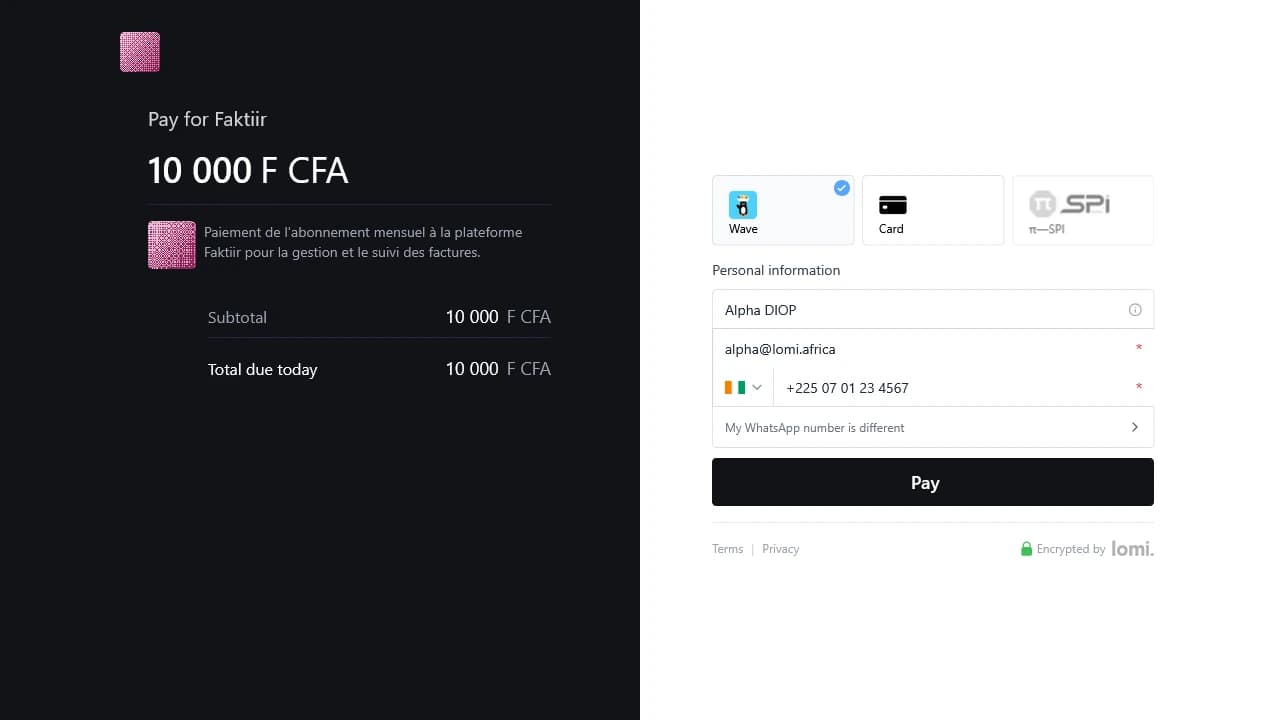
2. Pay with a test method
For a simple successful card payment, use:
| Field | Value |
|---|---|
| Card number | 4242 4242 4242 4242 |
| Expiry | Any future date, for example 12/34 |
| CVC | Any three digits |
You can also test mobile money methods in sandbox. See sandbox payments for the full behavior.
Verify the result
After payment, confirm:
- The checkout redirects to your success URL.
- The transaction appears in the dashboard test view.
- Your test balance changes, if the method creates a completed test transaction.
- Your webhook endpoint receives the event, if webhooks are configured.
Verify from the CLI:
lomi transactions list --jsonWhat should I build next?
- Follow the full path in Integration journey.
- Use hosted checkout for app or store checkout, runnable sample: hosted checkout reference plugin.
- Use payment links when you want a shareable URL.
- For server-initiated Wave, MTN, or card flows, see Direct charges and the direct-charge reference plugin.
- Use webhooks to reconcile payment states server-side.
- Use the API reference for exact endpoint details.